Mobile time recording feature design
2024
PMs and developers
End-to-end design (discovery → delivery)
PMs, developers
December 2025
Story at a glance
Before →
After →
Challenges and my role
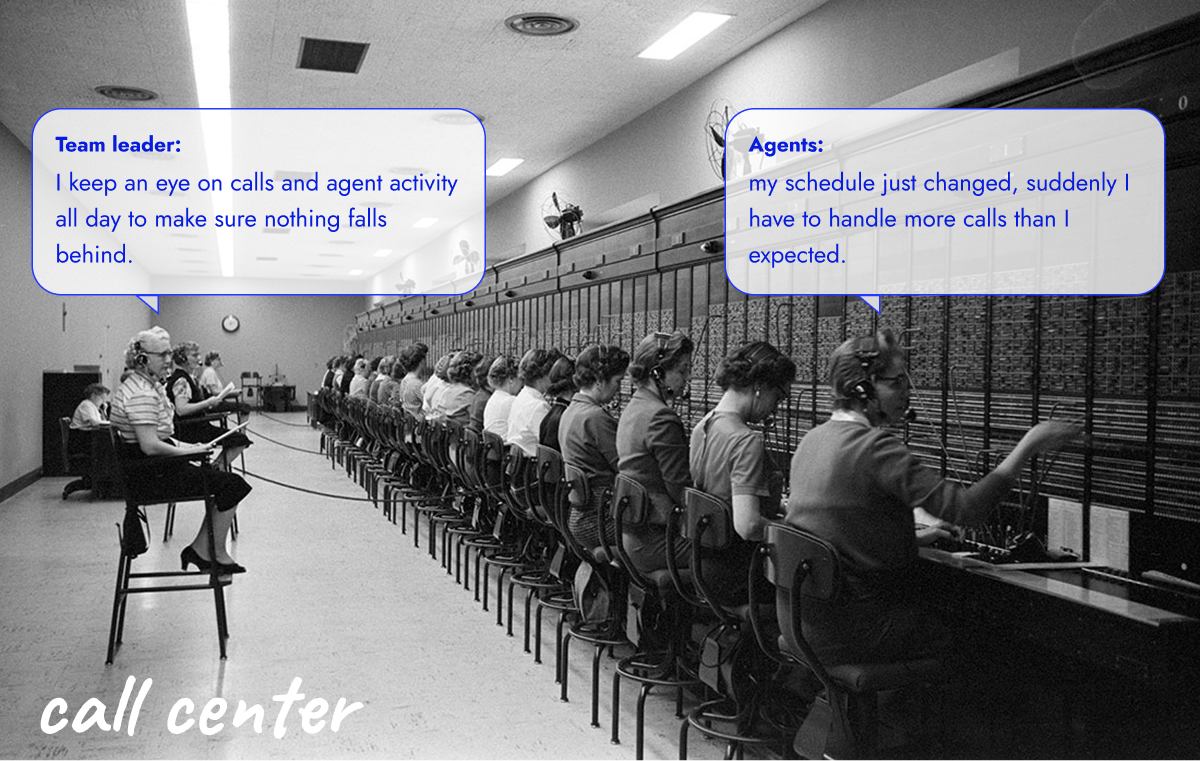
The SaaS workforce management product I worked on covers the full WFM lifecycle. At the time, there was a legacy solution for activity recording, but it had several limitations:
- recorded statuses could not be meaningfully consumed by other parts of the system
- the experience was not approachable for everyday agent use
- it did not work reliably on small screens
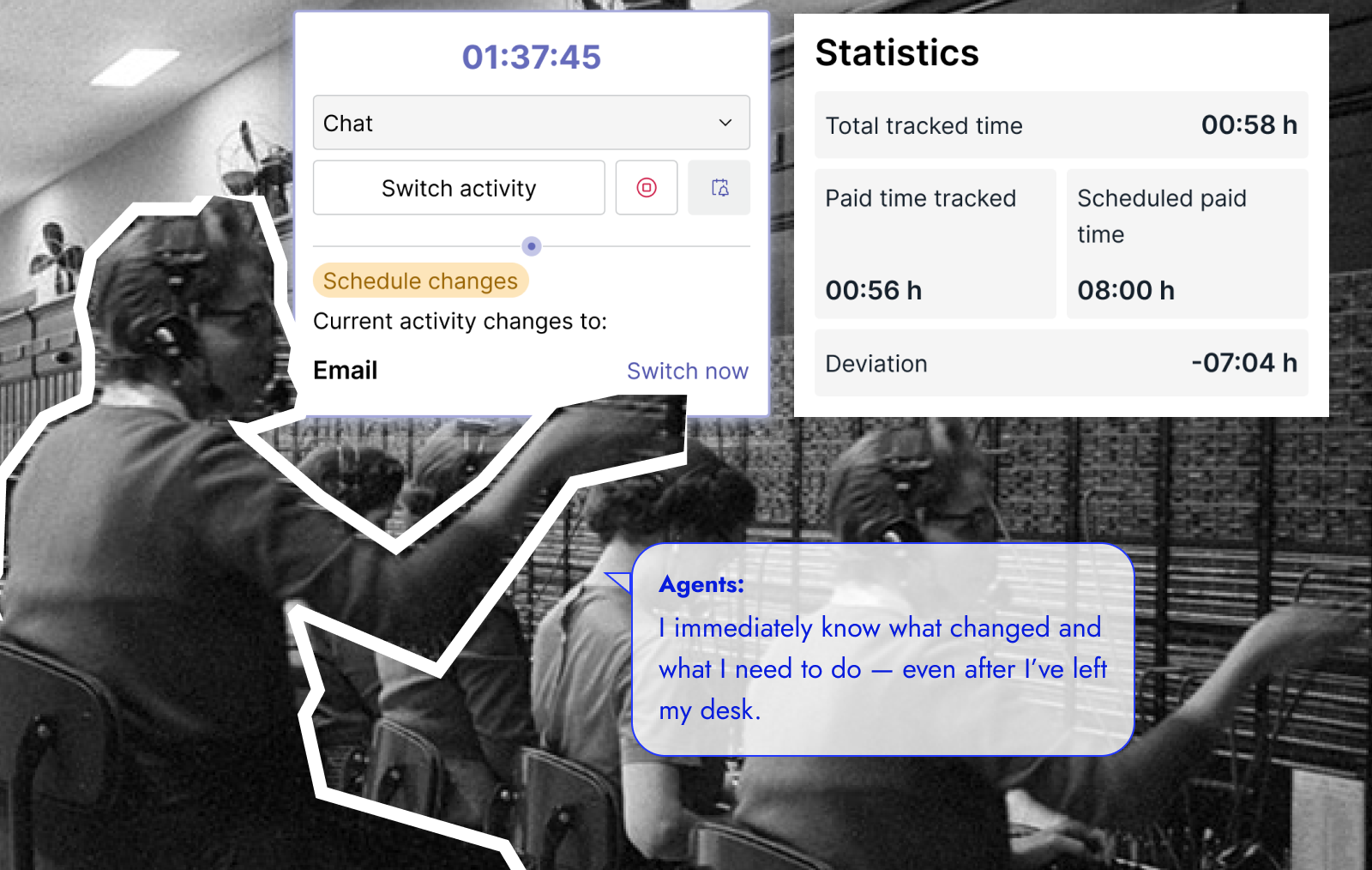
We needed a modern solution that could support real-time activity tracking and also create value for intraday management. This work is closely related to intraday monitoring; see the related case study.
My role
Lead product designer in a 4-person team (1 PM, 2 developers).
I was responsible for key product decisions, including:
- research synthesis
- interaction design
- mobile-desktop alignment.
Understanding users
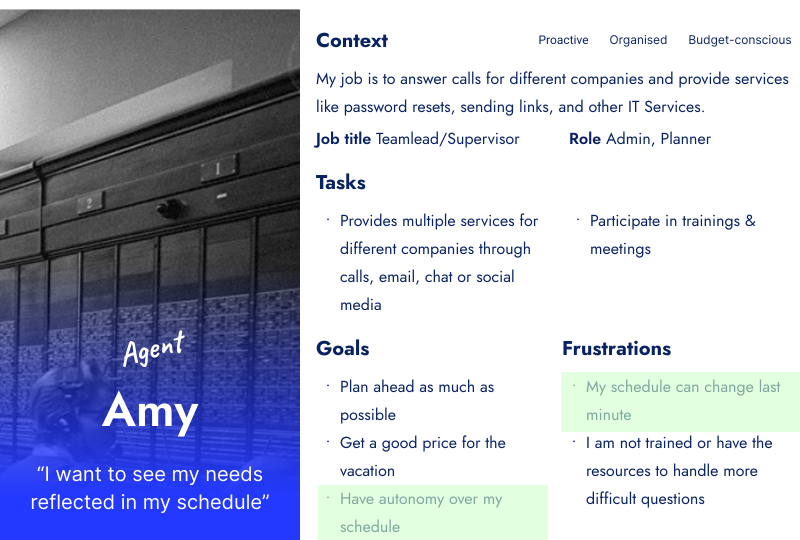
Agent
Why mobile first
Agents working with multiple windows
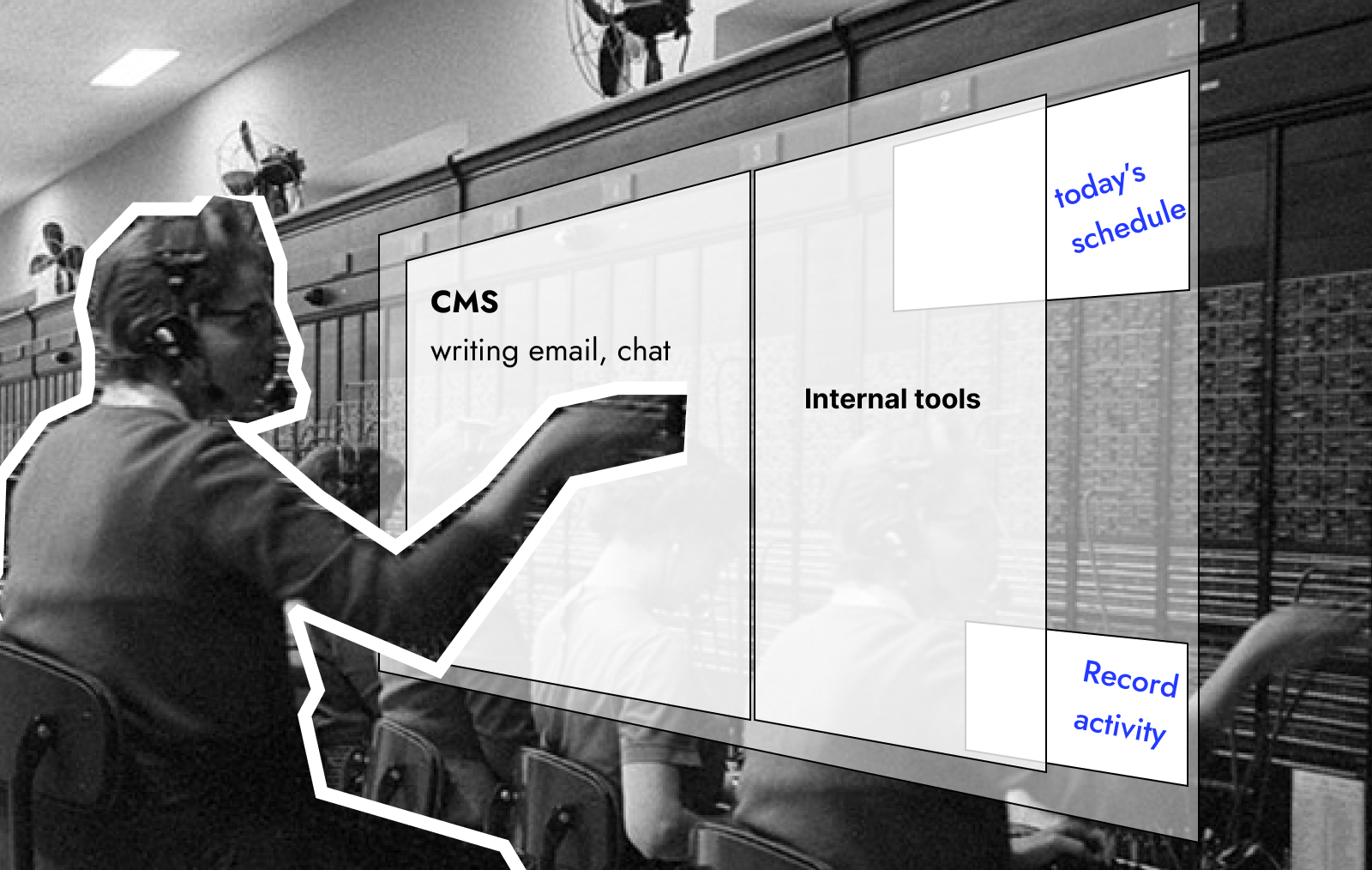
- Primary screens are typically reserved for CMS Customer Management Software and internal tools.
- Scheduling and time recording often need to live in a third or mini screen, especially when CMS products do not support automatic activity tracking.
Off-desk scenarios
Remote agents: need to record activities when leaving the desk, such as breaks or offline tasks.
Office agents: work with similar tools as remote agents, but are frequently away from the desk:
- meetings
- training
- floor support
- breaks.
Core tension
Technical constraints
- we could not introduce an additional standalone application
- mobile needed to work alongside desktop, not replace it
- interactions had to be fast, low-attention, and interrupt-safe.
Competitive analysis
Before designing the time recording experience, I reviewed several established products to understand how time tracking is commonly approached.
| Tymeshift | Agyle time | Rippling time | |
|---|---|---|---|
| Core focus | real-time tracking tightly integrated with Zendesk | schedule-focused activity tracking | payroll-oriented time tracking |
| Primary value | agent performance insights, KPIs, rankings, incentives | visibility of planned schedules and activity lists | compliance, payroll accuracy |
| Typical usage | agents working continuously in ticketing systems | agents following predefined schedules | employees recording work hours |
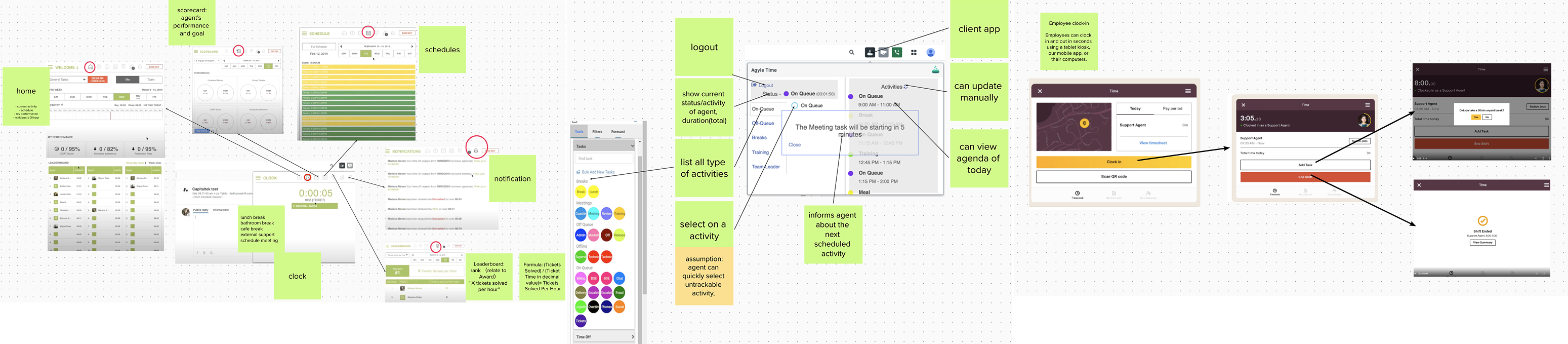
Shrared patterns
| Shared pattern | Description | Feasibility within our constraints |
|---|---|---|
| Current status visibility | agents can always see their active status and elapsed time | ✓ |
| Manual activity capture | untrackable or offline activities can be recorded | ✓ |
| Today-focused view | today’s schedule is visible or easily accessible | ✓ |
| Inline tracking data | activity type, start/end time, and duration are shown directly in the UI | ✓ |
| Explicit tracking trigger | agents actively start and stop time tracking | ✓ |
| Embedded experiences | tracking runs in fixed or floating windows within primary work tools (e.g. Zendesk) | ✕ not feasible |
| Manager-oriented outputs | data supports KPIs, performance views, and summaries for leads | ✓ in intraday |
Design implications
Based on this analysis, several design directions became clear:
- mobile should not replicate desktop reporting or historical views
- activity switching must be fast, prominent, and interruption-safe
- schedule context needs to be visible at the moment of recording
- time recording should support adherence in real time, not just documentation after the fact
Solution approach
Intraday constraints
We framed requirements around situational needs.
What agents need for real-time activity tracking:
| Now | Upcoming | Overview | |
|---|---|---|---|
| View | View current scheduled activity | Get reminders for upcoming activities | - View today’s schedule and actual paid time. - View recorded activities |
| Action | - Switch activities with minimal effort. - Receive schedule change notifications. - Record activities away from the desk | Switch activities with minimal effort | Clock in and out reliably |
What agents need beyond the moment
| Overview | |
|---|---|
| View | - An overview of scheduled time and actual working time. - Visibility into historical recorded activities with filtering. - Review today’s schedule and adherence score. |
| Action | - Add or modify recorded activities in exceptional situations (with approval process) |
What the system must support:
- small-screen usage
- one-hand interaction
- zero dependency on external status systems
- all components across mobile-desktop keeps same behavior.
Framing trade-offs
Wireframe of full feature set:
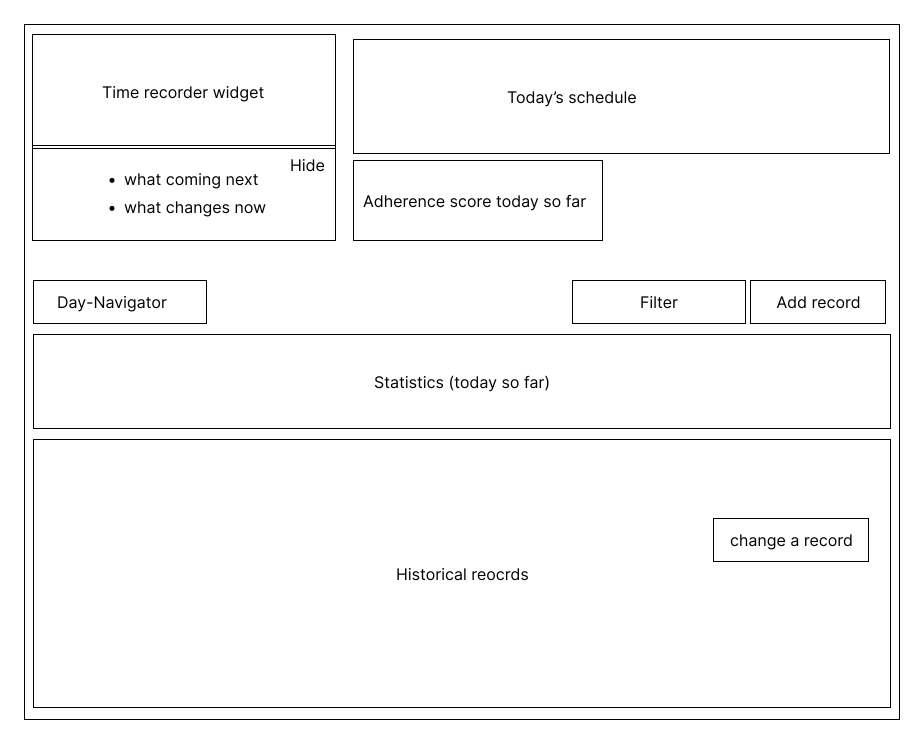
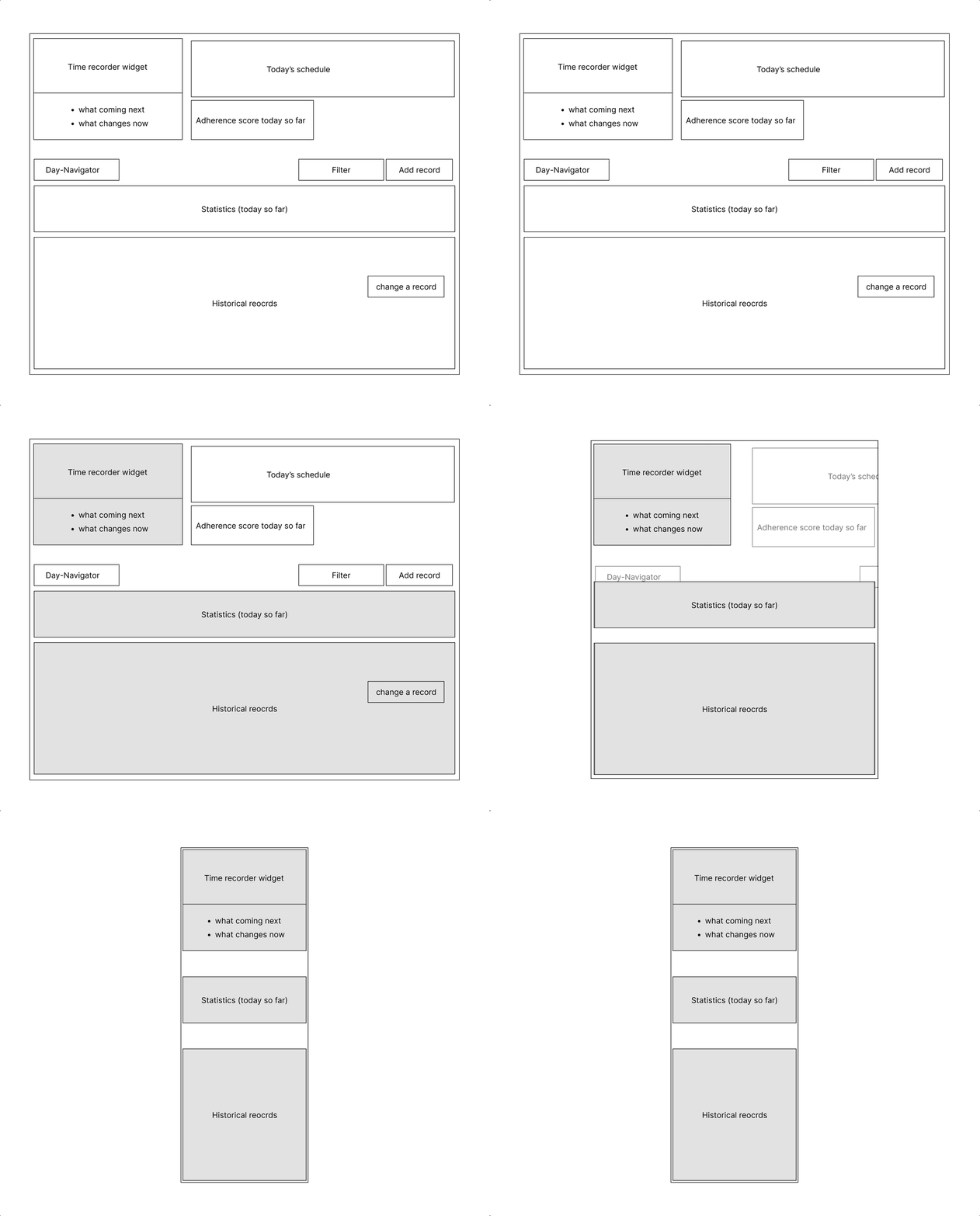
It became clear that mobile could not reasonably support the entire feature set. More importantly, many functions were rarely used in real-time tracking scenarios. Based on this insight, we intentionally separated usage between mobile and desktop.
- Desktop supports the full feature set, including adding or modifying recorded activities for unexpected situations
- Mobile focuses on real-time adherence to the schedule:
- what is happening now
- what comes next
- high-priority current schedule changes
Design outcome
Mobile behavior
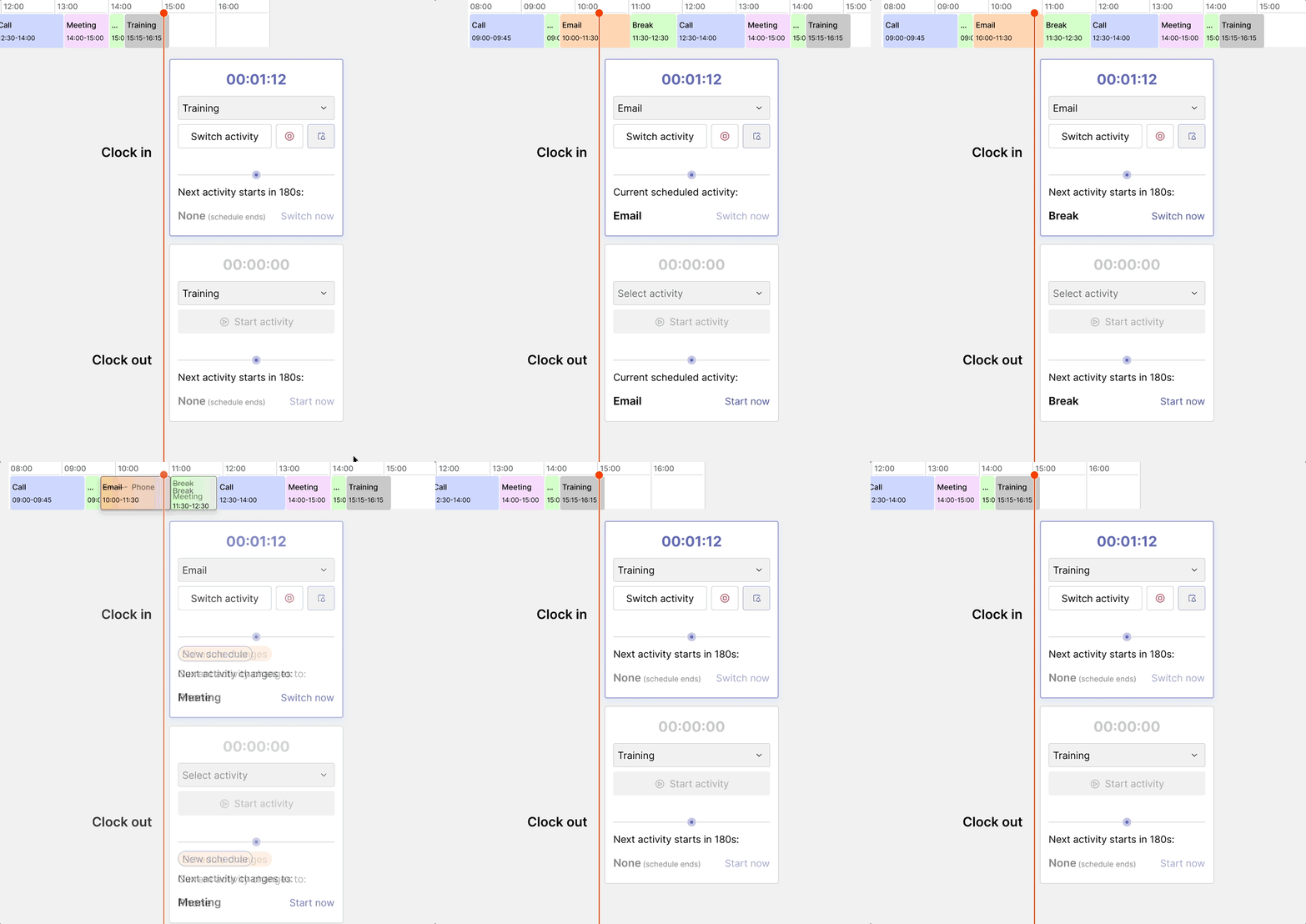
Clock in and out on mobile
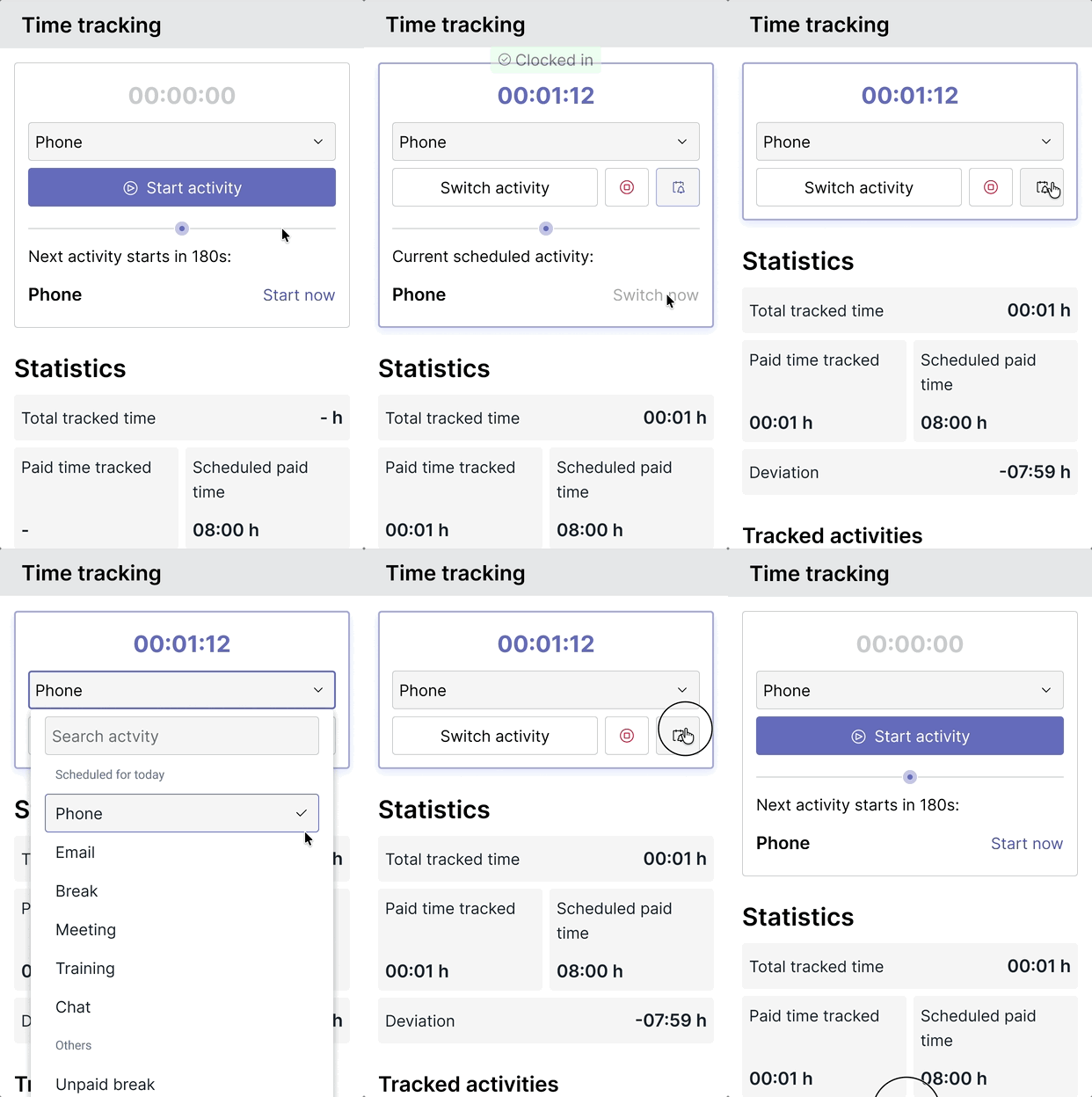
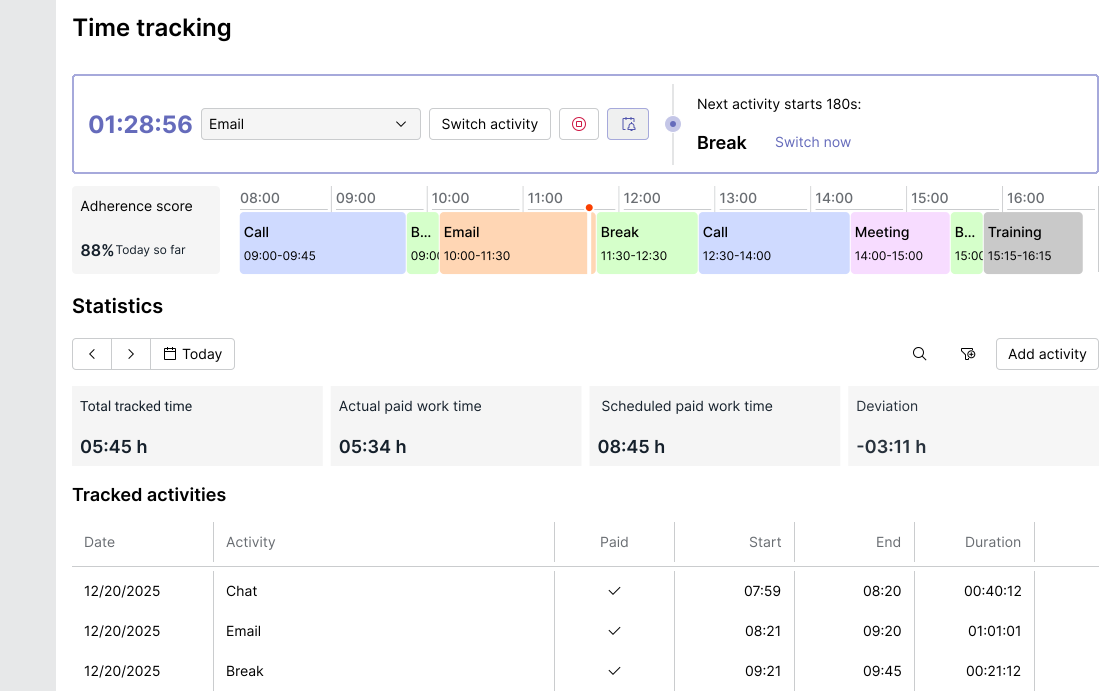
Consistent components across mobile-desktosp
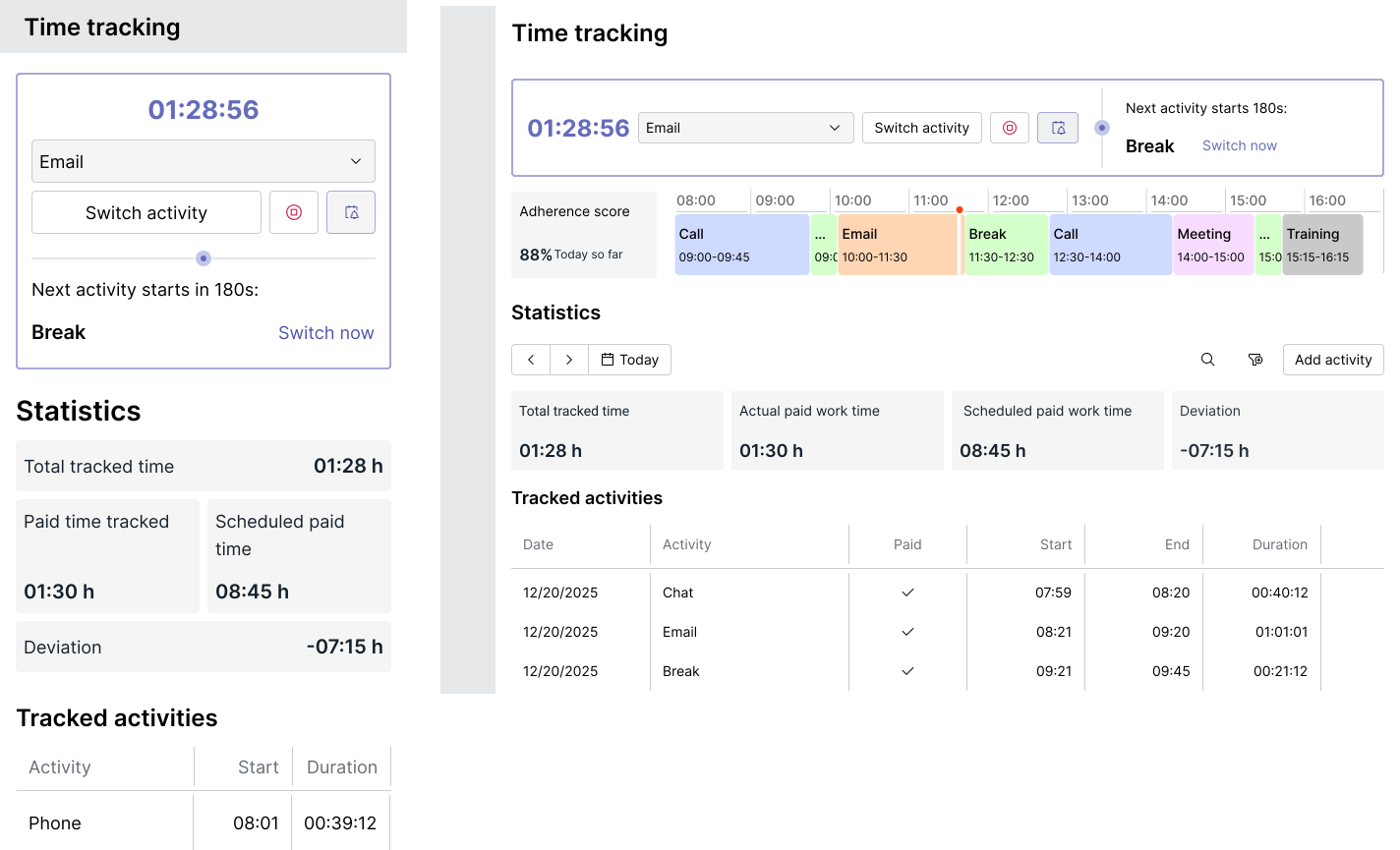
Desktop
Informing altered activities
Decision rationale
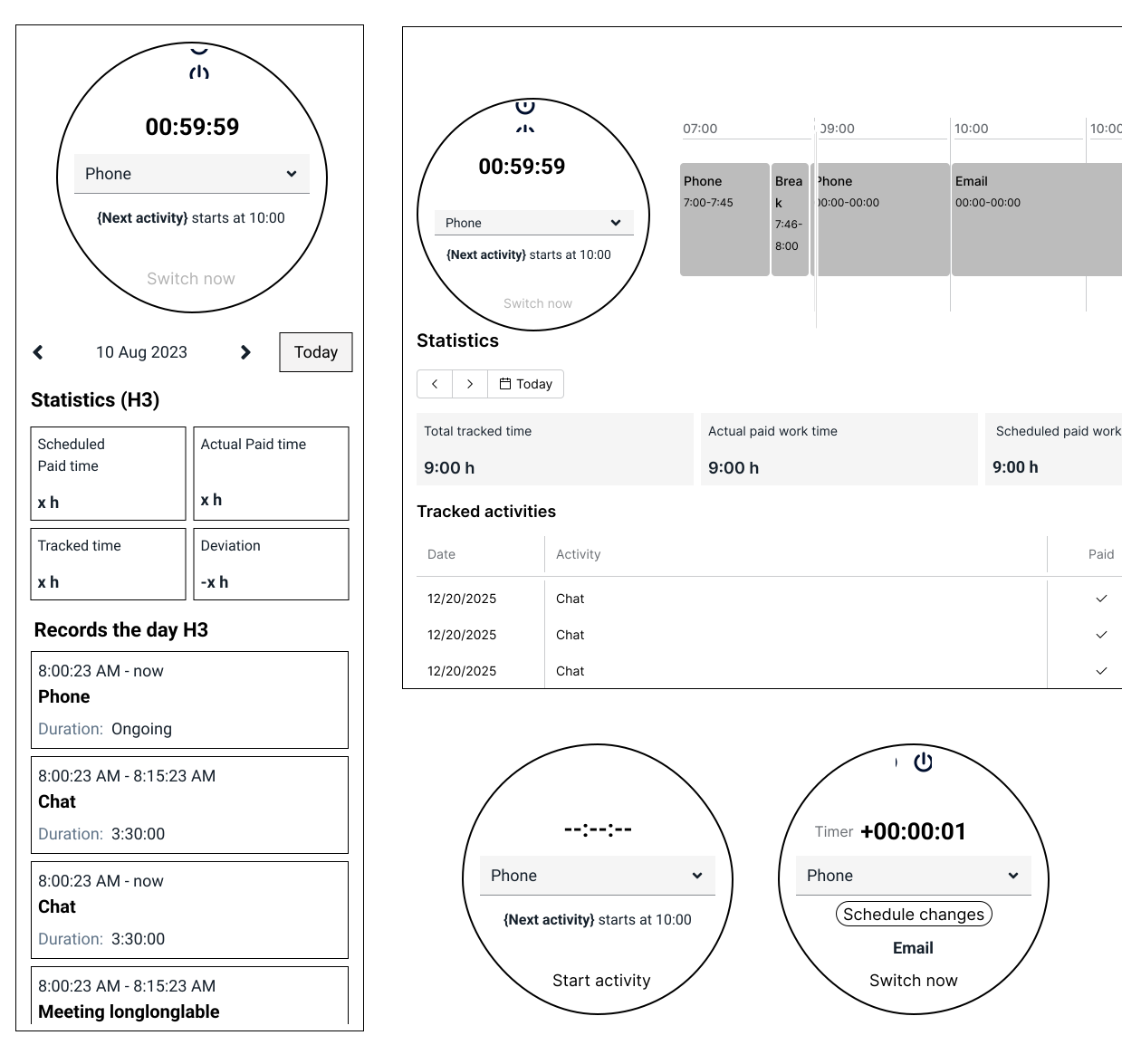
Alternatives considered
-
Countdown-based activity timer
- for example, a 1-hour email activity would start at 59:59 → 00:00 → +00:01 (overtime).
- This approach provides a clear visual reference for how much time should be spent on an activity.
-
Circular interface to emphasize and interpret the timer visually.
Why they were not selected
- Countdown-base timer has limited usage.
- limited space and poor support for long labels in different languages
- additional layout complexity without clear user benefit
Impact and reflection
Adoption and usage
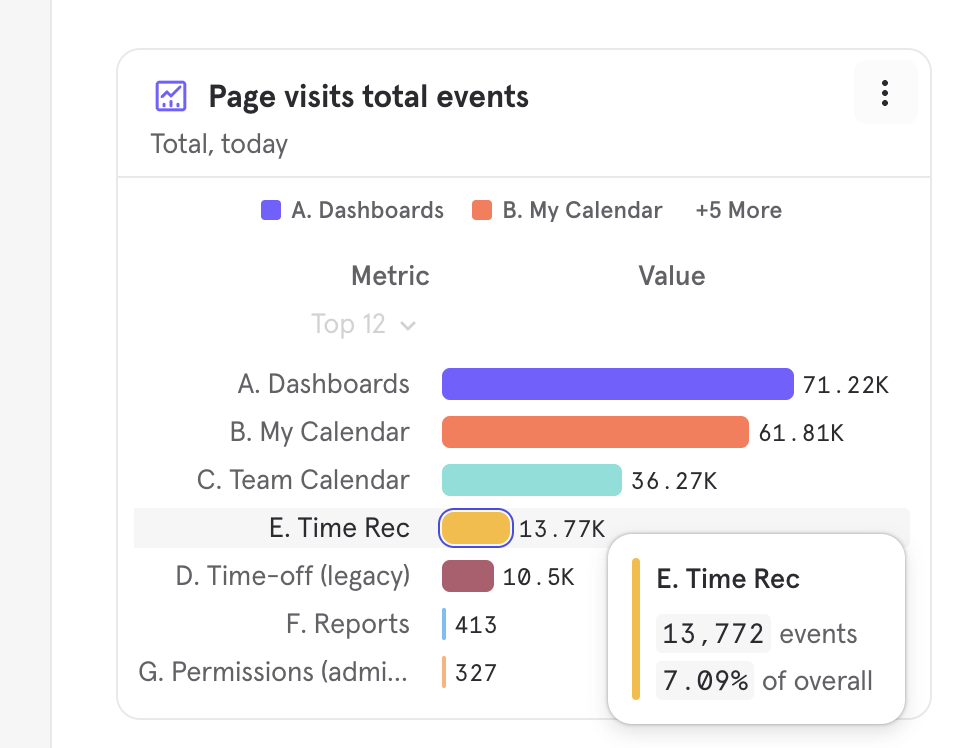
Screenshot from Mixpanel showing page visit counts from Nov 2024 to Dec 2025
The top three pages by number of visits show significantly higher traffic because they are used by nearly every customer on a daily basis. Time recording appears in fourth place, as it is not relevant for all customers.For customers without external agent-status systems:
- time recording reached 100% adoption
- it became the primary way to record agent activities
- it filled a functional gap between scheduling and intraday management
Reflection
What worked
- treating mobile as an assistant unlocked adoption
- reducing dependency on external systems increased product value
- embedding functionality was more effective than adding new navigation paths
What didn’t
- some customers used only login and logout for payroll
- activity switching was underused in those contexts